GROUP AD

Remote Access

rustdesk

Introduction

Remote Access can connect to computers or security systems remotely from any location. It aids businesses in system management, security monitoring, and prompt problem solving.

RutDesk is a tool for remote access that offers safe and simple connections. It makes security management quicker and more effective by enabling IT teams to remotely monitor security tools, update systems, and troubleshoot issues.

remote Access background information

Remote access is the ability to connect to and use a computer or network from a different physical location through communication technologies such as telephone lines or the internet. The concept first appeared in the 1960s with time-sharing mainframe computers, where multiple users accessed a single system remotely using terminals. In the 1980s, remote access expanded with the use of modems, allowing users to dial into systems over telephone networks, making remote login more practical for businesses and individuals.

In the 1990s, the widespread adoption of the internet greatly improved remote access technologies. Protocols such as Telnet and later Secure Shell (SSH) enabled remote system management, while graphical remote desktop tools allowed users to control computers visually from afar. Today, modern remote access uses secure technologies like VPNs, Remote Desktop Protocol (RDP), and cloud-based services, supporting remote work, online learning, and global system administration with strong security measures.

Manual Installation

Step 1

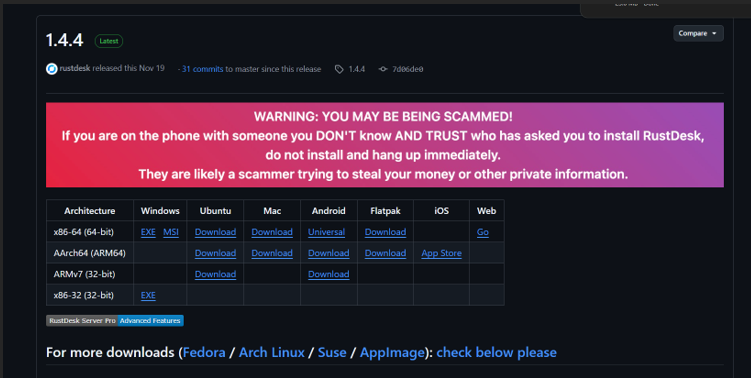
Step 1: Search “rustdesk” download in google and click download

Step 2

Step 2: Select your suitable operating system to use the tool

demonstration

Step 1
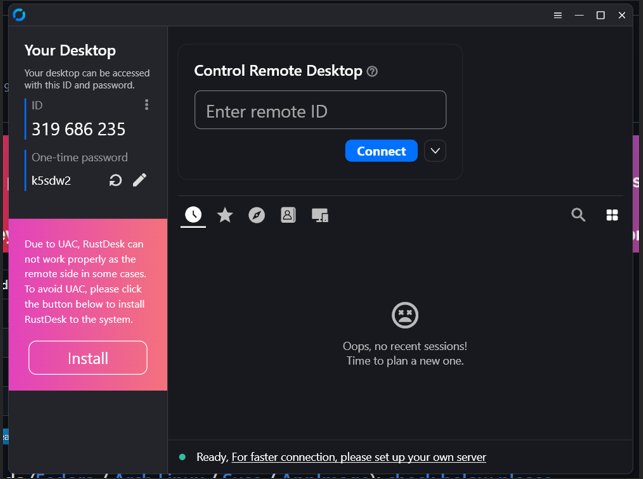
After succesfull download the tool you can open the tool and see your ID and password.You also can refresh the password if you want to .

Step 2
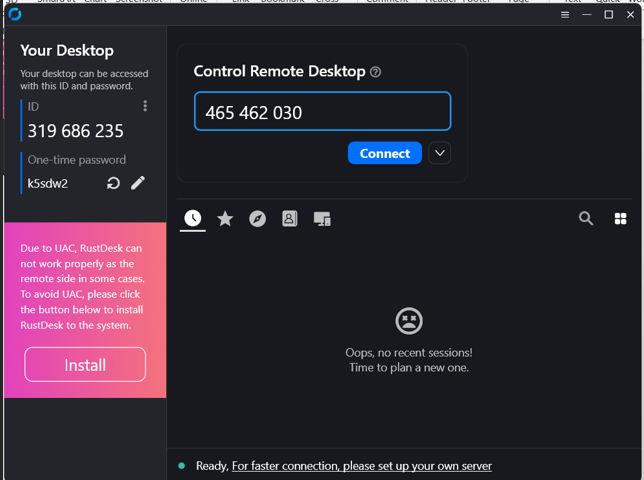
Enter the ID of other device that you want to access and click connect.

Step 3
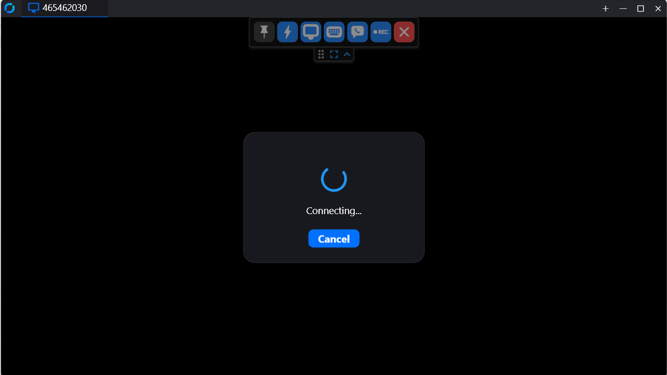
Wait for the loading process to access other device

Step 4
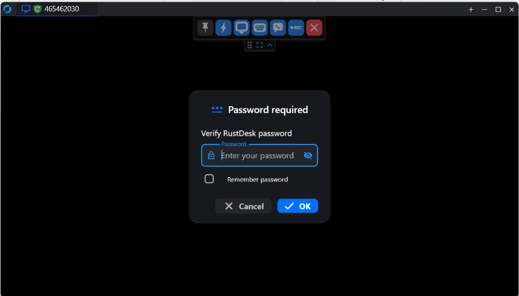
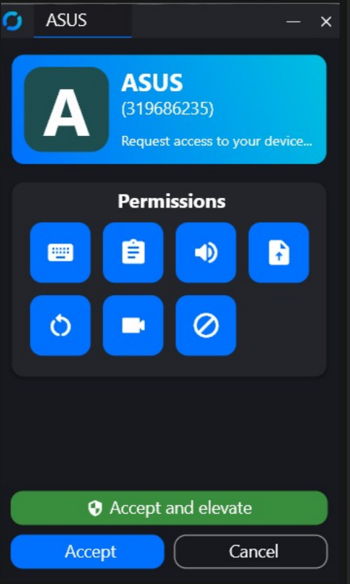
The owner of other device can choose either they want to accept access or give their password to access their device.

Step 5
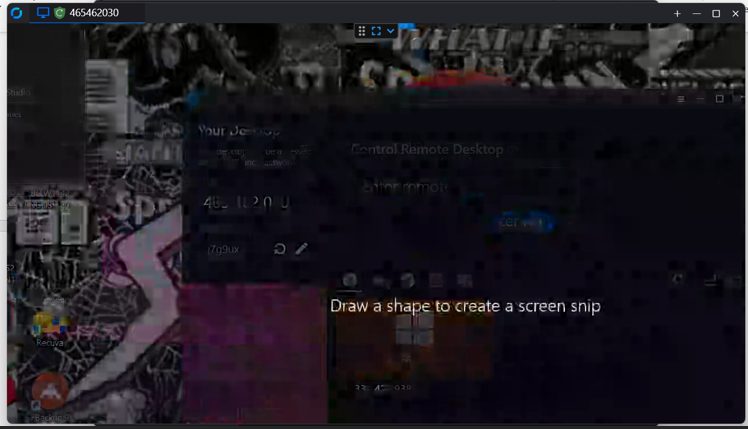
Now we already complete and can access other device.

Step 6
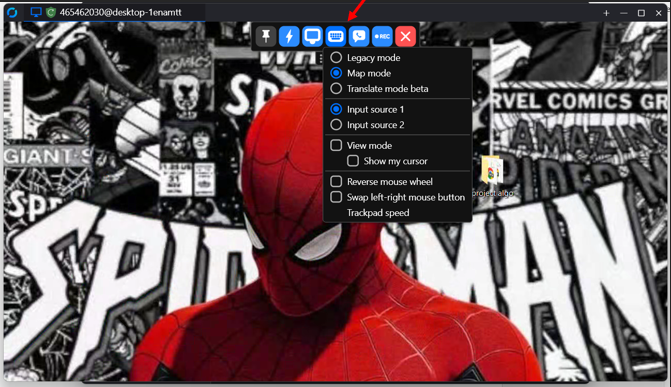
If user click the keyboard button, user can see the details about it.

Step 7
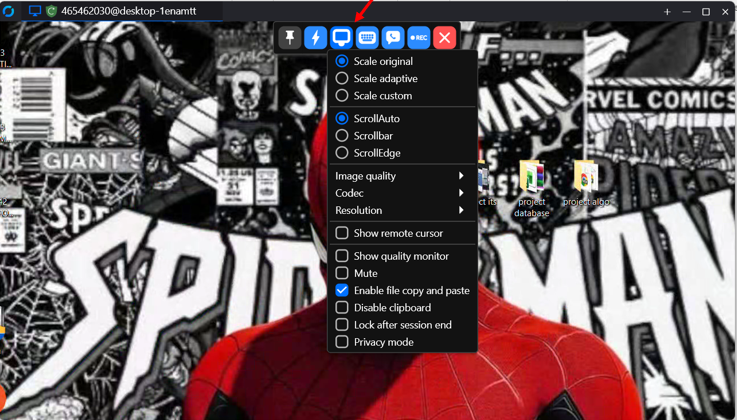
If User click the computer button, user can see the details about it

Step 8
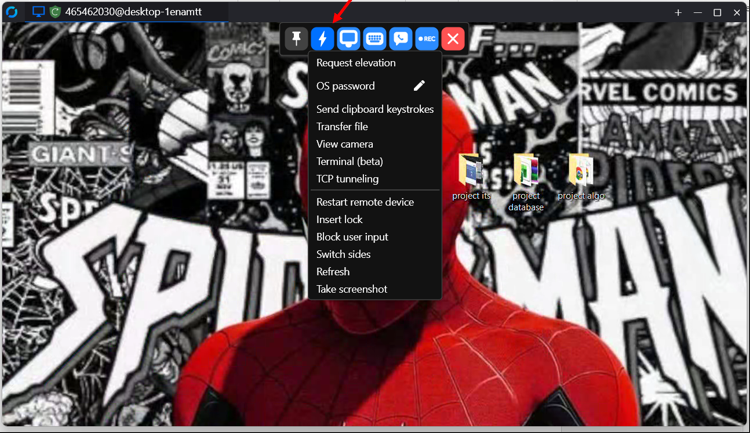
If user click the lightning button, user can see the details about it

Step 9

If user click the call button, user can see the details about It
Confidentiality, Integrity, and Availability (CIA) Analysis

Confidentiality
RustDesk protects user data by using encrypted connections during remote access. This prevents other people from viewing the screen or data without permission. Only authorized users are allowed to connect to the system.
INTEGRITY
RustDesk ensures that data sent during a remote session is not changed. The encrypted connection helps prevent modification of commands and files. User login control also helps protect the system from unauthorized changes
AVAILABILITY
RustDesk allows users to access systems remotely at any time when an internet connection is available. It supports many operating systems, which makes it easy to use on different devices. Self-hosted servers help keep the service running without depending on external providers.
GROUP AD - BITS3423 INFORMATION TECHNOLOGY SECURITY